I have been running my Pinterest management business for more than six years, and the way I work has changed dramatically since I started.
In the beginning, I thought the most important tools would be the ones that helped me design Pins and schedule them quickly. Those tools still matter, but Pinterest management now requires much more than creating attractive graphics and filling a posting calendar.
I need to understand how Pinterest is classifying content, what search language exists around a topic, whether an account is building authority, which Pins are earning meaningful distribution, and whether a traffic increase represents real growth or only a temporary baseline bump.
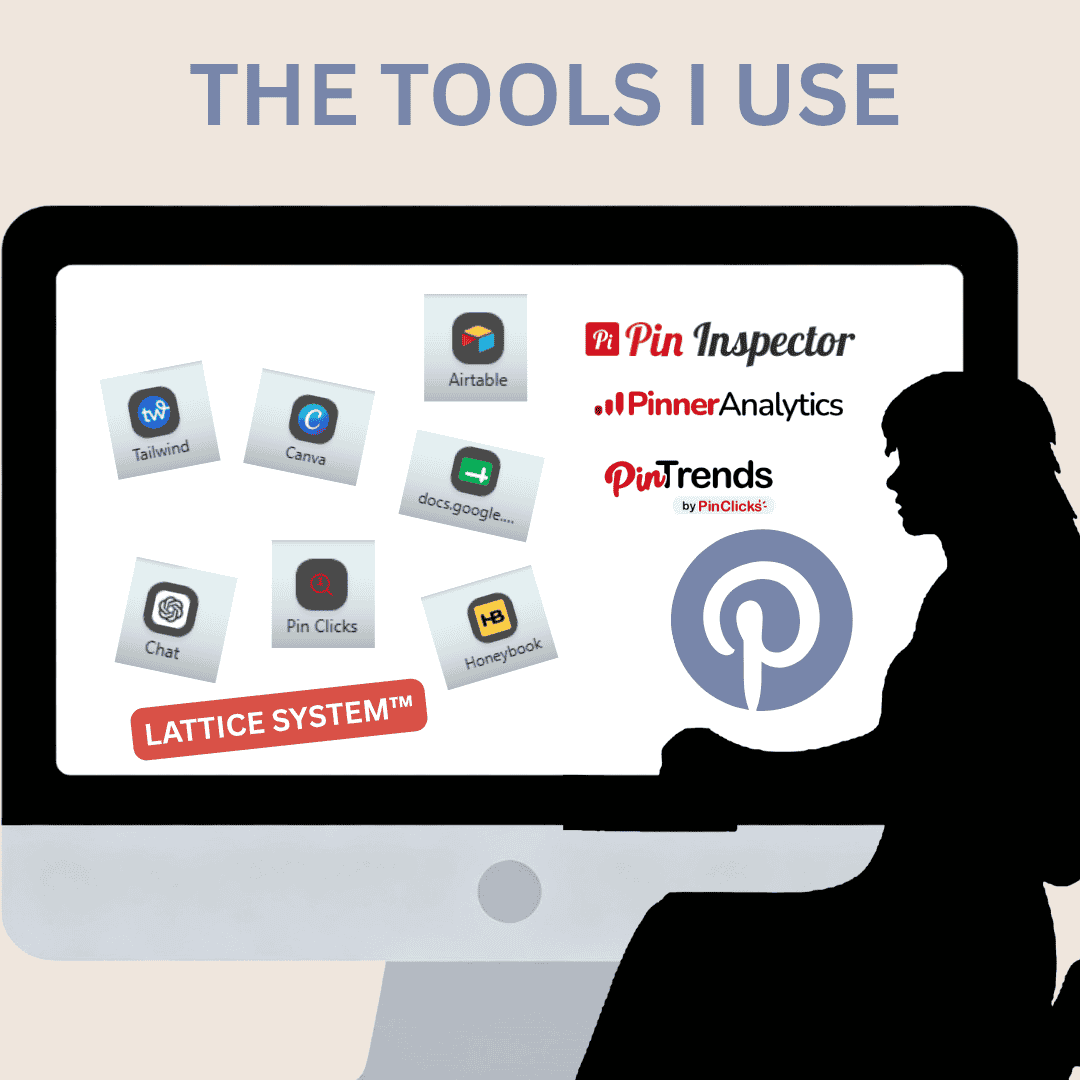
My current tool stack supports several different parts of the business:
- Pinterest performance analysis
- keyword and annotation research
- competitive research
- Pin creation and scheduling
- client management
- content planning and organization
- AI-assisted research and workflow development
Not every tool answers the same question. Some collect raw data. Others help me inspect search results, compare trends, study content performance, organize projects, or turn a large amount of information into something useful for a client.
Here are the tools I currently use to run my Pinterest strategy and management business—and what each one actually contributes.
Pinterest Analytics
Pinterest Analytics is still the first place I look when reviewing the performance of a client account.
It provides access to metrics such as:
- impressions
- engagements
- saves
- outbound clicks
- Pin clicks
- top-performing Pins
- top-performing boards
- performance by format, source, device, or date range
The custom date-range feature is especially useful. I can compare recent performance with an earlier period, review year-over-year changes, and identify whether an apparent increase is actually meaningful within the account’s longer history.
I do not treat impressions as the final measure of Pinterest success. Impressions tell me how often Pinterest displayed the content, but they do not show whether users found it valuable enough to save or click.
I pay closer attention to:
- outbound clicks
- saves
- the URLs producing traffic
- the Pins earning repeated distribution
- whether recent Pins are contributing to growth
- whether performance is concentrated in only a few older assets
Pinterest Analytics is free and essential, but it can also be noisy. Data can fluctuate, attribution is imperfect, and recent results can tempt business owners to overreact to short-term changes.
I use it as one layer of evidence—not as the entire strategy.
Pinterest Trends
Pinterest Trends helps me investigate how interest changes over time.
I use it to examine:
- seasonal movement
- rising topics
- related search terms
- differences between keyword variations
- when interest begins increasing before a holiday or event
- whether a topic appears stable, cyclical, or temporary
This matters because publishing at the moment a trend peaks is often too late. For seasonal content, I want to understand when Pinterest users begin planning—not only when the event occurs.
Pinterest Trends is also useful when comparing similar phrases. Two terms may describe almost the same idea, but one may have a stronger seasonal pattern or appear more established within Pinterest search.
It does not contain data for every useful long-tail phrase, so I never treat absence from Pinterest Trends as proof that a keyword has no value. It is one research source within a larger system.
PinClicks
PinClicks is one of the main Pinterest research platforms I use for keyword and interest data.
I use the web app to explore:
- Pinterest keywords
- estimated search volume
- related interests
- topic pathways
- seasonal opportunities
- long-tail phrases
- Pinterest taxonomy relationships
It is especially useful when I want to investigate a topic manually, compare keyword directions, or review the data visually before deciding which terms are relevant.
The tool can surface a large amount of information quickly, but the raw results still need to be filtered. Not every related phrase belongs to the content, and high search volume does not automatically make a keyword useful.
PinClicks MCP Tool (Available to Pro Plan Users Only in BETA)
I also use the PinClicks MCP tool for larger and more structured research tasks.
The MCP connection allows me to run broader batches, expand multiple keyword pathways, and gather larger sets of Pinterest-native data more efficiently than researching every phrase one at a time inside the web app.
I use it for:
- batch keyword research
- interest expansion
- related keyword discovery
- long-tail and problem-based searches
- seasonal pathways
- topic branching
- large content batches
- structured exports for further review
The MCP tool speeds up discovery and makes it easier to research several articles at once. The PinClicks web app remains useful for manual exploration, visual review, and closer inspection of individual topics.
Pin Trends Browser Extension
The Pin Trends browser extension gives me another way to inspect Pinterest keyword and trend information while researching directly in the browser.
I use it as a supporting research tool when I want to:
- investigate related Pinterest terms
- compare possible keyword directions
- spot seasonal movement
- review available trend or volume information
- explore a topic without leaving the current workflow
- identify phrases worth testing more deeply
Browser extensions are helpful because they reduce the amount of switching between tools. I can begin with a search idea, inspect the available information, and decide whether the topic deserves deeper research through Pinterest itself, PinClicks MCP, or another tool.
As with any browser-based keyword tool, I do not assume every phrase it surfaces belongs in the final research. It provides another layer of evidence, not an automatic strategy.
Pin Inspector
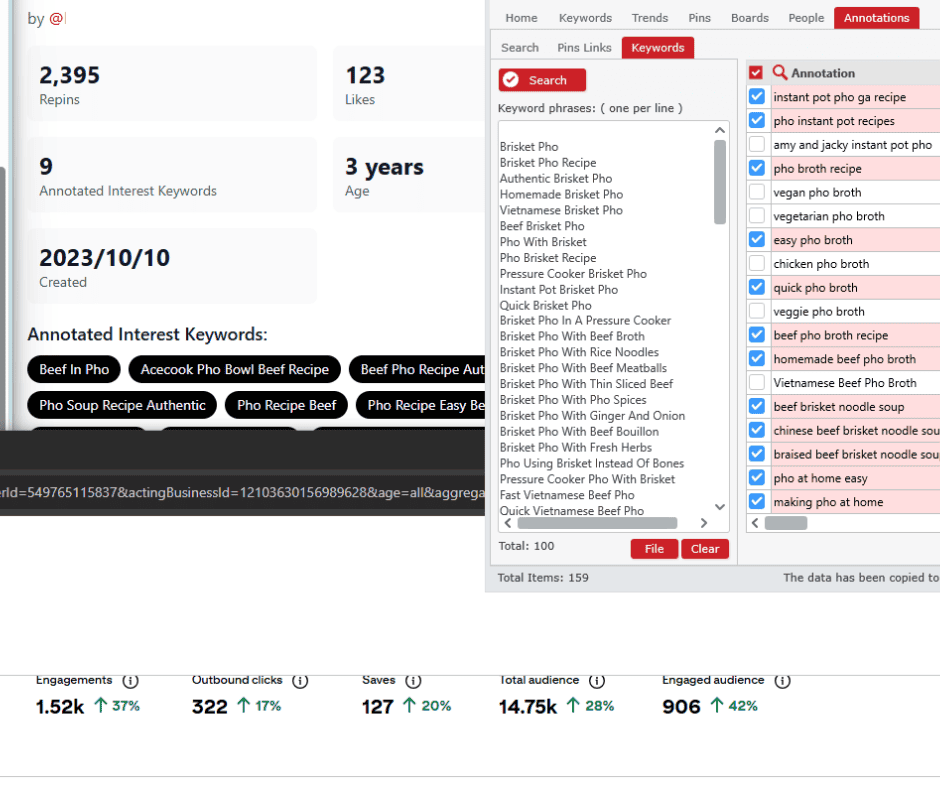
Pin Inspector remains useful for researching what is appearing directly inside Pinterest.
Depending on the task, I use it to explore:
- Pinterest search suggestions
- keyword variations
- boards
- Pins
- accounts
- visible engagement patterns
- top-performing content
- competitor positioning
- search-result patterns
- gather annotations
- check annotations and keywords for monthly search vol
Pin Inspector is useful when I want to investigate Pinterest’s visible environment more efficiently than I could by manually copying every suggestion or opening every result.
It can help uncover repeated language and identify promising research directions, especially in difficult or unfamiliar niches.
Like any extraction or research tool, it produces information that still requires review. A phrase appearing in the results does not automatically mean it belongs in a client’s strategy.
Pinner Analytics
Pinner Analytics adds another layer when I need to understand Pinterest rankings and visibility beyond the standard account dashboard.
I use ranking and visibility tools to investigate questions such as:
- Is the account appearing for its intended topics?
- Which Pins or boards are being surfaced?
- Is Pinterest associating the account with the right content?
- Are rankings concentrated around one narrow subject?
- Has a change in board or Pin strategy affected visibility?
Pinterest Analytics tells me what happened on the account. Ranking-focused tools can help show where Pinterest may be placing the content inside search and discovery environments.
This distinction is important because impressions can rise without the account necessarily strengthening around the right topics.
Tailwind
I started using Tailwind early in my Pinterest management career, and I still use it because it makes scheduling across multiple accounts faster.
The most valuable part for me remains the practical scheduling workflow.
I can:
- schedule Pins efficiently
- see upcoming publishing gaps
- manage a client’s weekly or monthly queue
- space repeated URLs
- avoid sending the same link to the same board too frequently
- review when a URL was last scheduled to a particular board
That final feature is especially useful. I want enough spacing between repeated destinations so I am not posting the same URL to the same board day after day.
Tailwind Communities are also still part of the platform. They may not be the centre of my strategy, but content can still be shared and repinned through them.
Tailwind has expanded into AI tools, keyword tools, content creation, and cross-platform posting. I do not use every feature simply because it exists. I use the parts that support my process without adding unnecessary complexity.
I have never considered Tailwind’s automated Pin-design tools a replacement for intentional design. Speed is useful, but a Pin still needs thoughtful spacing, hierarchy, readability, image selection, and a clear reason for the user to click.
Canva Pro
Canva Pro remains my primary Pin-design platform.
A strong Pinterest graphic needs more than a template and an image. It needs:
- readable text
- intentional hierarchy
- effective contrast
- balanced spacing
- a clear topic
- visual alignment with the article
- enough distinction to stop the scroll
- consistency without becoming over-branded
Canva Pro allows me to create and organize client-specific design systems with:
- brand colours
- logos
- approved fonts
- templates
- photo folders
- finished graphics
- video assets
- reusable design elements
Brand Kits and client folders make it much easier to move between accounts without mixing assets or losing track of approved visual standards.
I also use Canva for more than static Pins. It can help me resize images, prepare visual examples, work with short video, create presentation graphics, and produce educational diagrams for articles.
Premade templates are useful for beginners, but they still need to be adjusted. A template should be a starting structure—not a substitute for understanding the content or the audience.
ChatGPT
ChatGPT has become one of the most flexible tools in my workflow, but I do not use it as an automatic source of truth.
I use it to help with:
- organizing research
- expanding seed-topic pathways
- grouping keyword lists
- identifying possible search questions
- analysing performance exports
- drafting and refining Pin copy
- checking whether each Pin package establishes the content clearly
- improving article structure
- creating repeatable research and audit processes
- comparing large groups of content
- turning raw notes into usable client-facing explanations
For keyword research, ChatGPT can suggest possibilities, organize categories, and help identify alternate wording. It cannot independently confirm Pinterest search volume or prove that a phrase is recognized by Pinterest.
For Pin descriptions, it can help generate iterations, but every description still needs to be checked against:
- the actual article
- the intended search pathway
- the client’s tone
- unsupported claims
- repetition
- keyword relevance
- the problem the content solves
The value comes from using AI inside a structured process rather than asking it to improvise a complete Pinterest strategy.
My Pinterest Research Macros and the Lattice System™
Some of the most important tools in my business are not commercial platforms. They are the research systems and macros I have built to make my work consistent.
These processes help me:
- lock onto the primary content entity
- identify distinct search pathways
- separate close synonyms from genuinely different user intents
- expand long-tail and problem-based searches
- connect article topics with audience needs
- avoid producing four Pins that say the same thing
- evaluate whether a package answers what the content solves
- map related terms without replacing the main topic
- maintain consistency across large content libraries
My Lattice System™ looks at Pinterest content as a connected retrieval structure rather than a collection of isolated keywords.
Keywords still matter, but Pinterest also interprets:
- images
- text overlays
- titles
- descriptions
- boards
- linked-page content
- account history
- topic relationships
- user behaviour
The research systems I use help me examine those signals together instead of treating one keyword as the entire strategy.
HoneyBook
HoneyBook handles much of the client-management side of my business.
I use it for:
- proposals
- contracts
- invoices
- payments
- client communication
- project information
- administrative organization
Keeping those tasks in one system saves me from searching through scattered email threads, documents, and payment records.
Pinterest strategy requires deep concentration. The more administrative steps I can standardize, the more attention I can give to research, account analysis, and client work.
Spreadsheets and CSV Files
Some of the least glamorous tools are also the most useful.
I regularly use spreadsheets and CSV files to work with:
- keyword reports
- account exports
- top-Pin lists
- content libraries
- board inventories
- URL tracking
- seasonal calendars
- publishing schedules
- performance comparisons
- research batches
A spreadsheet makes it easier to sort, filter, compare, and identify patterns across hundreds of rows.
Raw data is rarely useful until it has been organized around a specific question. The spreadsheet is often where scattered information becomes a practical decision.
Why I Do Not Rely on One Tool
There is no single platform that can tell me everything I need to know about a Pinterest account.
Pinterest Analytics can show performance, but not always why it happened.
Pinterest Trends can show relative interest, but not every useful phrase.
PinClicks can provide search and interest data, but relevance still requires human judgement.
Pin Inspector can collect visible Pinterest information, but extraction is not the same as strategy.
Tailwind can schedule content, but it cannot determine whether the content is aligned with the right topic.
Canva can produce graphics, but it cannot decide what promise the Pin should make.
ChatGPT can help organize and draft, but it cannot independently validate Pinterest demand or replace account history.
The work comes from combining the evidence.
Final Thoughts
The tools I use have evolved as Pinterest itself has changed.
My original workflow centred on scheduling and design. My current workflow also includes:
- search research
- topic classification
- performance analysis
- website behaviour
- seasonal planning
- content clustering
- visual interpretation
- AI-assisted organization
- client systems
- owned-audience growth
The right tool can save time, reveal patterns, and make a business more professional. But tools do not replace experience, judgement, or the ability to ask the right question.
The most useful tool is not necessarily the one with the largest feature list. It is the one that helps you make a clearer decision.
For my Pinterest business, that means using each platform for the job it does best—and never confusing access to more data with having a complete strategy.
New Pinterest Research Tools Are Emerging
Pinterest research tools are changing quickly.
New browser extensions, keyword platforms, AI-assisted research tools, and Pinterest data services are continuing to enter the market. Some focus on keyword discovery, while others emphasize trend data, search volume, ranking visibility, content creation, or account analysis.
I am currently reviewing newer tools as they become available to see:
- where their data comes from
- whether the information is genuinely Pinterest-specific
- how current the results appear to be
- whether they add useful information beyond native Pinterest search
- whether they save time without creating more cleanup
- whether they improve the final research or simply produce larger exports
A new tool is not automatically a better tool. I am most interested in whether it helps answer a useful question more accurately or efficiently.
My tool stack will continue to evolve, but I do not add a platform to my process simply because it is new or heavily promoted. It needs to provide information I can trust, interpret, and apply to real Pinterest work.