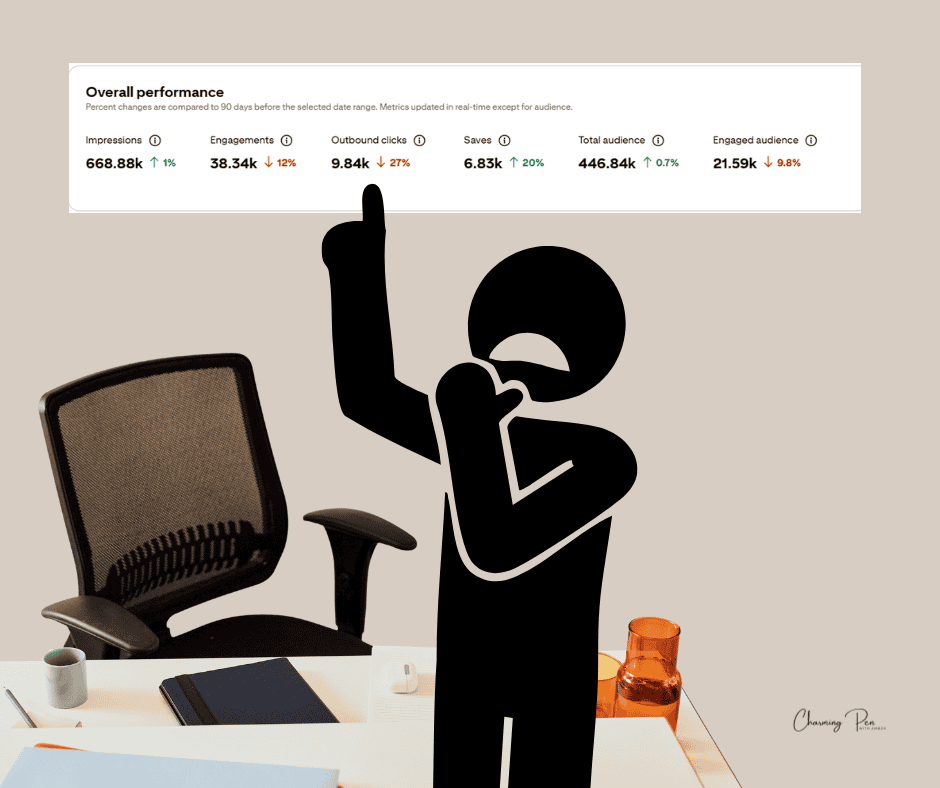
Let’s be real—this platform has been driving you up the wall. You’ve tried all the “best practices,” recycled your top pins, looped the ones that used to crush it… and watched your traffic nosedive anyway.
I’m here to tell you it is possible. I’ve seen it happen with client accounts—bringing traffic back from near zero by realigning what Pinterest sees with what you’re actually sharing.
It’s taken days of realignment work to resuscitate what used to be a high-performing account. And the truth is: Pinterest hasn’t stopped working. It’s just stopped working the way we all got used to.
If you’re ready for straight talk and fast fixes, keep reading.*
And by fast fixes, I mean Pinterestland fast—not overnight miracle fast. This isn’t a do-X-get-Y-by-tomorrow situation. But with the right realignment, I’ve seen results start showing up in as little as two weeks.
Pinterest has changed. Quietly. But the results? Anything but quiet. Content creators have seen their numbers drop like flies—sometimes overnight.
And unless you’re knee-deep in engineering blogs and machine learning patents (and let’s be honest—most creators aren’t), you may not have realized just how different the platform operates today.
But here’s the good news: the traffic isn’t gone. It’s just hiding behind new rules.
Why It Feels Like Pinterest Stopped Working
Deindexed pins and suppressed pins are more common now than ever. If you’ve used a word that could be considered sensitive—even mildly—it may be flagged. And flagged pins don’t just underperform; they often disappear entirely.
Why? Because Pinterest’s AI doesn’t fully understand nuance or context yet. So even if your wording seems harmless to a human, the system is playing it safe. That means anything it thinks might be misleading, sensitive, or risky? Suppressed.
So now, you’re not just a content creator—you’re the parent on the playground. You have to review your pins with the most judgy Karen eye possible and ask: “Could any part of this be misunderstood?”
If so, revise it. Realign it because even one off-key word can take a great pin and make it invisible.
Pinterest used to reward consistency, keyword-heavy text overlays, and solid vertical design. For years, creators could pin to group boards or loop their best content and see dependable growth.
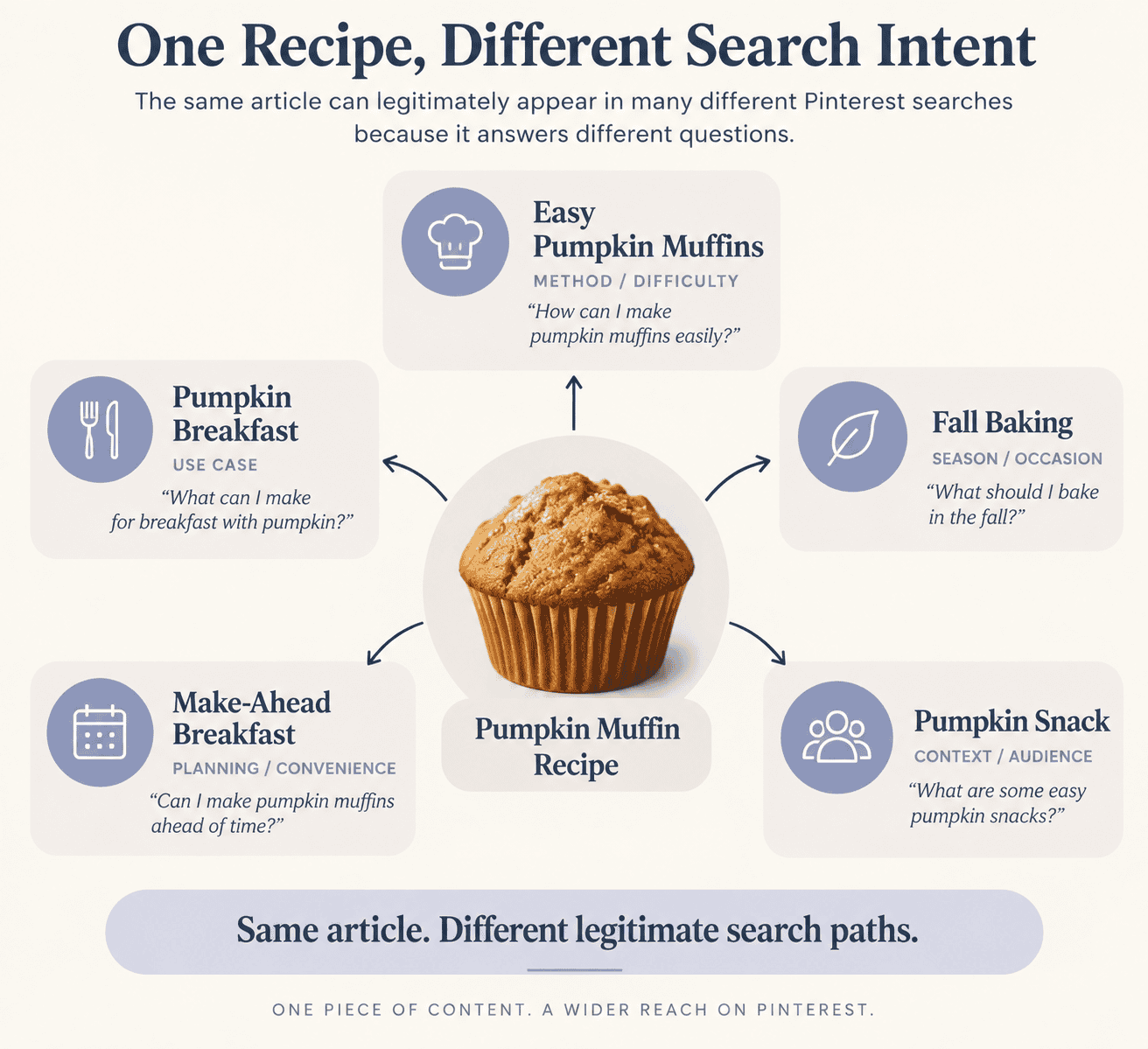
That all shifted. Today, Pinterest is powered by AI that ranks content based on how well your pin matches what’s being searched—not just what you typed in the description.
This may sound familiar if you’ve ever heard advice like “know your audience” or “target your people.” In Pinterest terms, it means understanding what users are typing into the search bar and aligning your content with those real-time patterns—not just what you typed in the description. A great example is the old ‘kid-friendly’ it was once a popular keyword before the crackdown on kid anything the other year. But if you think as a user are you going to type in kid-friendly? Unlikely. You’re more apt to type easy or fun for kids. This makes a big difference to a) suppression and b) user relevance.
If your impressions are flatlining, it’s likely because your pin content (image, overlay, title, and page) doesn’t match the annotations Pinterest assigned to it. And mismatched pins? They don’t get seen—not only are they invisible, but they become a complete waste of your time. You’re putting in the work and getting nothing in return. Which, let’s be honest, is a massive part of the frustration.
And it’s not just the text. Pinterest now assigns annotations based on your images , too. That stock photo you’re using? Pinterest’s AI is analyzing it. If the picture doesn’t clearly show what the content is about, your pin might get misclassified—or ignored entirely.
I saw this firsthand while working on a client account that was performing great… until it wasn’t. Everything else was aligned—text, SEO, site—but traffic tanked. The last variable? The images.
Instead of using “artsy” or aesthetic visuals, I tested clear, direct images that made sense to a machine. Think: close-ups of cheesy pasta instead of a moody shot of a fork in a bowl. It made all the difference.

If you’re using your own photography, especially for food or DIY pins, think like the AI—not just the audience. If a human can’t instantly tell what’s in the shot, the algorithm probably can’t either. That’s how good content gets suppressed for no good reason.
The list goes on. There’s also the linkless pin problem that’s been plaguing content creators lately. On the surface, it might seem like a smart move—Pinterest removing links or making pins harder to click through. But for creators who rely on outbound clicks to drive income, it feels like the ultimate betrayal.
So what’s going on? Why is it happening?
Pinterest is actively testing different delivery formats. They haven’t settled on one, and they may never fully revert to what we had. A missing “Visit Site” button is especially frustrating in niches like food or crafts—where users want to go to the blog to replicate what they see.
What can you do? First, realize that this is still a test, not a permanent change. That means your pins aren’t useless—but you may have to work harder to funnel clicks. Some users will type in the visible URL manually (bless them). Others will comment and ask for the link. Many will conclude Pinterest is broken.
Yes, it’s turning users away. But for now, Pinterest is still one of the easiest platforms to get traffic from—if you decode what’s really going on and adjust accordingly.
What Are Annotations (and Why Should You Care)?
Annotations are Pinterest’s AI-generated labels that describe the content of your posts. Think of them like invisible hashtags.
If Pinterest thinks your pin is about “apple pie,” but your overlay says “Autumn Dessert Idea,” and your blog post is about air fryer hacks? That pin will disappear from search because it doesn’t line up.
Fixing your annotation alignment is the fastest way to get Pinterest working again. This is precisely in part what I’ve been doing to revive accounts—and it works.

Here’s How to Get Your Pinterest Traffic Back
Looking at which boards are still driving outbound clicks and saves—especially when your account is in a free fall—is one of the fastest ways to gain traction again. When you start posting newly annotated pins, putting them on boards that already have momentum is key. It acts like a jump-start to Pinterest’s internal trust signals and indexing system.
You don’t need to start over. You need to realign. Here’s how:
✅ 1. Match Your Overlay to the Post Title
Make sure the text on your image clearly states the postis content. Pinterest reads it.
✅ 2. Use Consistent Keywords in Title, Description, and Blog Page
If your blog post is about “Mini Pumpkin Pies,” use that same phrasing everywhere.
✅ 3. Create a Few New Pin Designs
One pin won’t do it anymore. Try:
- A static pin with clear overlay text
- A split pin (image on one side, text on the other)
- A checklist or ingredient bar
Each gives Pinterest another chance to understand your content.
✅ 4. Ditch the Generic Boards (But Don’t Delete History)
Your pins should go to specific, relevant boards—not “Yummy Recipes” or “My Blog Posts.” Try boards like “Thanksgiving Desserts” or “Easy Fall Baking.”
Necessary: Don’t delete old boards with history. Even if you no longer use them, boards with saved pins and engagement history still carry weight in Pinterest’s indexing system. Rename or archive if needed—but never wipe them out.—not “Yummy Recipes” or “My Blog Posts.” Try boards like “Thanksgiving Desserts” or “Easy Fall Baking.”
✅ 5. Don’t Leave Group Boards
Group boards still hold historical value—mainly if they’ve ever driven traffic in the past. Leaving a group board may prevent you from rejoining later, even if traffic to it picks back up.
If you must step back, archive it instead. That way, you preserve your access and any engagement momentum.
✅ 6. Watch for Misalignment
If a pin tanks while others perform, it might be visually misleading, off-season, or too vague.
Before You Quit, Try This:
Don’t walk away from a platform that still drives millions of clicks—just because it stopped playing easy.
Try this instead:
- Pick one blog post that used to perform well
- Create 3–4 new pin versions
- Make sure your overlay, pin title, description, and blog title all say the same thing
- Pin them to 3–4 annotation-aligned boards
- Spread them out over 1–2 weeks
Then check back. You may be surprised by what happens.
Strategist’s Note: Why This Matters Even More in 2025
With Taste Graph mapping and small-scale Pin testing now active, Pinterest is tracking how consistently you reinforce your core topics — and testing your content on a smaller audience before deciding whether to show it more widely.
That means:
- If your pins don’t align with your existing topic signals, they’ll likely fail in early testing.
- If you go inactive, you’re not just losing short-term clicks — you’re breaking the thread that trains Pinterest to trust your content long-term.
Keep showing up. Even in low-traffic months, every well-aligned pin is another data point telling Pinterest you’re worth surfacing when your season peaks.
Still Feeling Stuck?
Suppose you can’t see your pin annotations because you don’t have access to the right tools. In that case, this is where a deep audit from a Pinterest manager or strategist (like me) can make all the difference. A solid audit should evaluate your high and low performers and explain what was—and wasn’t—working. From there, you should walk away with a clear, custom roadmap to get your pins aligned and your traffic moving again.
You’re not behind—you’re just adapting to a new rulebook like the rest of us. Pinterest has shifted, and yes, it’s been frustrating. But that doesn’t mean it’s over—it just means it’s time to reframe how you play the game.
Need help putting all of this into action? Grab the free checklist or reach out for a custom audit—because once you understand how Pinterest thinks, it becomes a whole lot easier to get results.
Think of Pinterest as a literal-minded student—it’s trying to do the right thing. Still, it needs extremely clear instructions to get it right.
Think of it as a child who needs both simple language and clear visuals to understand what you’re asking it to do fully. When your pins are crystal clear—visually and verbally—Pinterest is far more likely to show them to the right people.
Ready to Move from Fixing to Future-Proofing?
Once you’ve realigned your pins and you’re seeing traction again, the next step is building long-term platform trust.
👉 Read: Why Sticking with Pinterest Through AI Growing Pains Will Pay Off
Learn how batch consistency, annotation loops, and URL trust can push your pins to the front of the algorithm — not just for now, but for the seasons ahead.